Using the accelerometer and processor of the micro:bit V2, you can experience and learn about artificial intelligence in the real world through movement and machine learning (ML). micro:bit CreateAI is a free, web-based tool that makes it easy for students to explore AI through movement and machine learning, and take it into the real world with a BBC micro:bit development board (v2). You can training a machine learning model with your own movement data with your web browser. Then you can then create a MakeCode program that uses this machine learning model and runs on micro:bit v2 board.
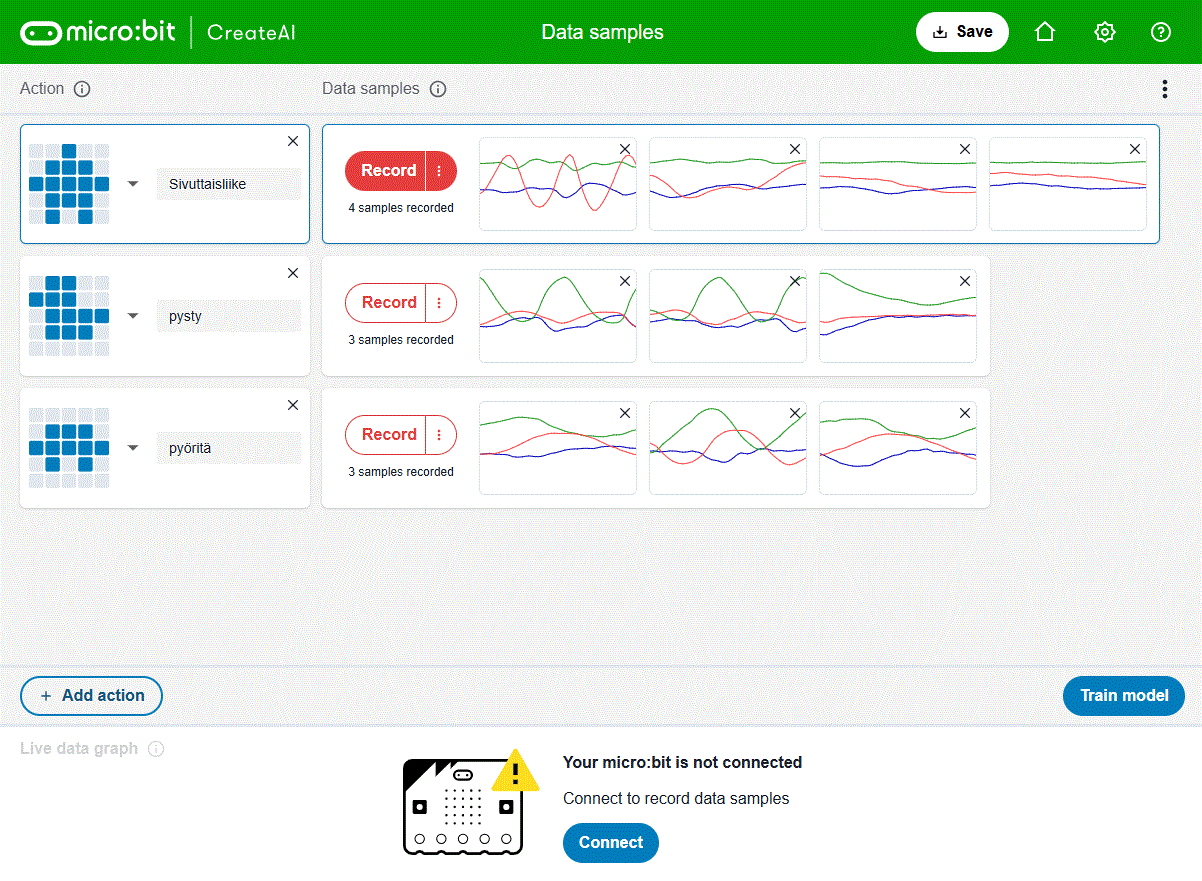
Adding artificial intelligence (AI) to the BBC micro:bit is made possible with a free online education tool that allows your students to combine AI with coding in Microsoft MakeCode blocks. The plan is that with the micro:bit and CreateAI students can develop an AI-powered piece of tech from scratch in 90 minutes! If you have experience with embedded system and micro:bit, you can do that much faster.
micro:bit CreateAI is a free, web-based tool that lets you program a micro:bit to recognise and respond to your movements, like clapping, waving, dancing or jumping. The movement data used for AI model teaching is recorded from the micro:bit’s accelerometer and transported to PC using Bluetooth. The recorded data is used to train, test and improve your own machine learning model, then use it in a Microsoft MakeCode tool that is used to program the micro:bit board.
Getting started with micro:bit CreateAI
https://www.youtube.com/watch?v=yWl3WxDE6QI
Discover micro:bit CreateAI
https://www.youtube.com/watch?v=kqNy5N3WLtM
Try it at createai.microbit.org
Discover more at microbit.org/ai
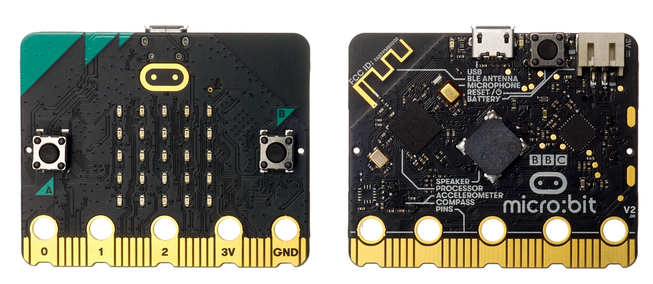
BBC micro:bit is a dev board designed for computer science and technology. It runs on a Nordic Cortex-M4 chip with radio + FPU capabilities. The version v2 boasts of a speaker, touch sensor, 25 LEDs, 2 buttons, accelerometer, bluetooth, a mic and a couple of GPIO pins.
Links to more information:
https://microbit.org/get-started/user-guide/microbit-createai/
https://github.com/alan-turing-institute/microbit-rs
https://microbit.org/get-started/features/ai/
https://microbit.org/new-microbit/
https://microbit.org/news/2024-11-20/microbit-CreateAI-launch/
https://microbit.org/news/2024-11-20/teaching-and-learning-about-ai-with-the-microbit/
7 Comments
Space Waves says:
This is an exciting development for AI and coding education! The integration of machine learning with the BBC micro:bit V2 through micro:bit CreateAI offers students a hands-on way to explore AI concepts in a tangible and interactive manner. The ability to train models using real-world movement data and deploy them directly to the micro:bit makes AI learning both accessible and engaging.
Tomi Engdahl says:
Voice-Activated micro:bit with Machine Learning
https://www.youtube.com/watch?v=fNSKWdIxh8o
Learn how to make the new BBC micro:bit voice activated!
Tomi Engdahl says:
https://www.toolify.ai/ai-news/build-your-own-voiceactivated-microbit-with-machine-learning-2451565
Tomi Engdahl says:
https://createai.microbit.org/data-samples
https://microbit.org/get-started/user-guide/microbit-createai/
Business Brokers in Brickell says:
This was a really interesting read, it’s impressive to see how the micro:bit is being used to introduce AI concepts in such an accessible way. I love how the article highlights practical, hands-on projects that make advanced technology feel approachable for students and beginners. It’s a great example of how creativity and education can come together to spark curiosity about the future of tech.
Mike FC says:
This is such a cool project! I love how the micro:bit V2 turns concepts like AI and machine learning, things that usually feel super abstract—into something students can actually see and feel through movement. The fact that you can collect your own data right from the browser and then run a custom ML model on the micro:bit is pretty amazing. It makes the learning experience so much more hands-on and real.
It actually reminded me of a workshop I helped run for a group of travel businesses a while back. We were teaching them about data-driven decision making, mostly through things like a href=”https://ppcpros.co/tour-operators/”>Google Ads for Tour Operators , and it struck me how similar the learning curve is. Whether it’s training a model with gesture data or training an advertising algorithm with audience signals, the big idea is the same: you get better results when you understand how the inputs shape the outputs.
fence staining says:
Micro:bit Create AI though machine learning is good to understand. There are a lot of people searching for the right ideas that provide great results. It is a nice idea to have amazing information that helps us to resolve the issues.